
WordPress Plugins – What They Are, What They Do, and What Versions Exist

WordPress plugins are extensions installed on a WordPress website to add new functionality or enhance existing features. Thanks to plugins, it is possible to build almost any type of website — from a simple business presentation site, blog, or portfolio, to a full online store, booking system, multilingual platform, or complex directory.
In essence, the WordPress core is the foundation of the system — stable and reliable, but minimal by design. Plugins are what give WordPress its additional power and flexibility. They enable:
- Increased website security
- Improved speed and performance
- SEO optimization
- Creation of contact forms
- Implementation of booking systems
- Website backups
- Analytics integration
- E-commerce functionality
- Multilingual capabilities
- Visual page building without coding
- And many other advanced features

What are website plugins and Why are they important ? - Blog
Why Are WordPress Plugins Used?
Plugins are used because they:
- Save time and money (no need for custom development from scratch)
- Allow fast implementation of advanced features
- Increase website security and stability
- Improve user experience
- Support marketing and SEO strategies
- Enable business scalability
- Allow non-developers to manage complex websites
For small and medium-sized businesses, plugins are often the key to turning a basic website into a complete digital business system.
Free and Premium Plugin Versions
Most WordPress plugins come in two versions:
1. Free Version- Provides essential features
- Available in the official WordPress Plugin Directory
- Suitable for small websites and beginners
- Community-based support
- Includes advanced functionality
- Offers priority customer support
- Provides automatic updates
- Includes third-party integrations (Stripe, PayPal, CRMs, marketing automation tools, etc.)
- Often optimized for better performance and scalability
Many professional websites use a combination of free and premium plugins to achieve maximum performance and flexibility.
Major Categories of WordPress Plugins
Below is a structured overview of the most important plugin categories, including their purpose and popular solutions.
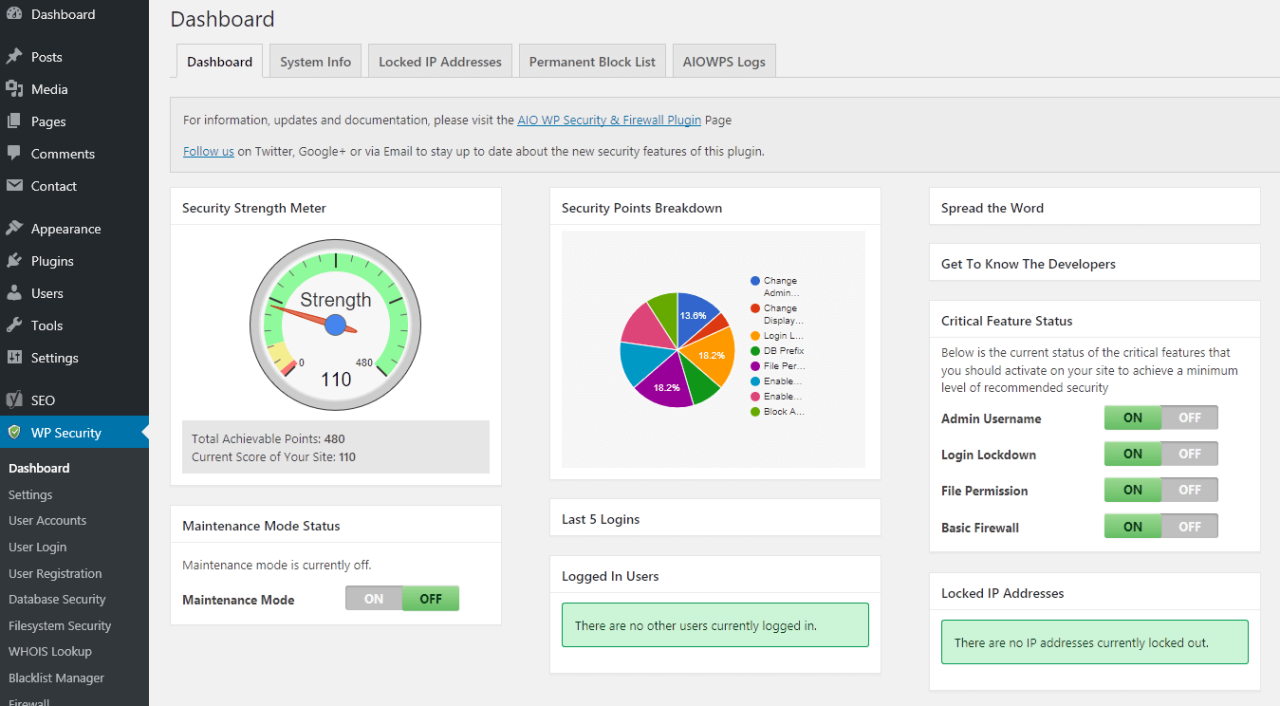
🔐 Security PluginsSecurity plugins protect websites from hackers, malware, brute-force attacks, spam, and vulnerabilities. Since WordPress powers a large portion of the web, it is a frequent target for cyber threats.
Security plugins typically provide:
- Firewall protection (Web Application Firewall – WAF)
- Malware scanning and cleanup
- Login security and two-factor authentication
- IP blocking and country restrictions
- File integrity monitoring
- Activity logging
Popular Security Plugins:
- Wordfence Security
- Sucuri Security
- iThemes Security
- All In One WP Security & Firewall
- WP Cerber Security
- MalCare Security
- Defender Security
- Shield Security
For business websites, security plugins are a critical investment.
⚡ Performance & Optimization Plugins
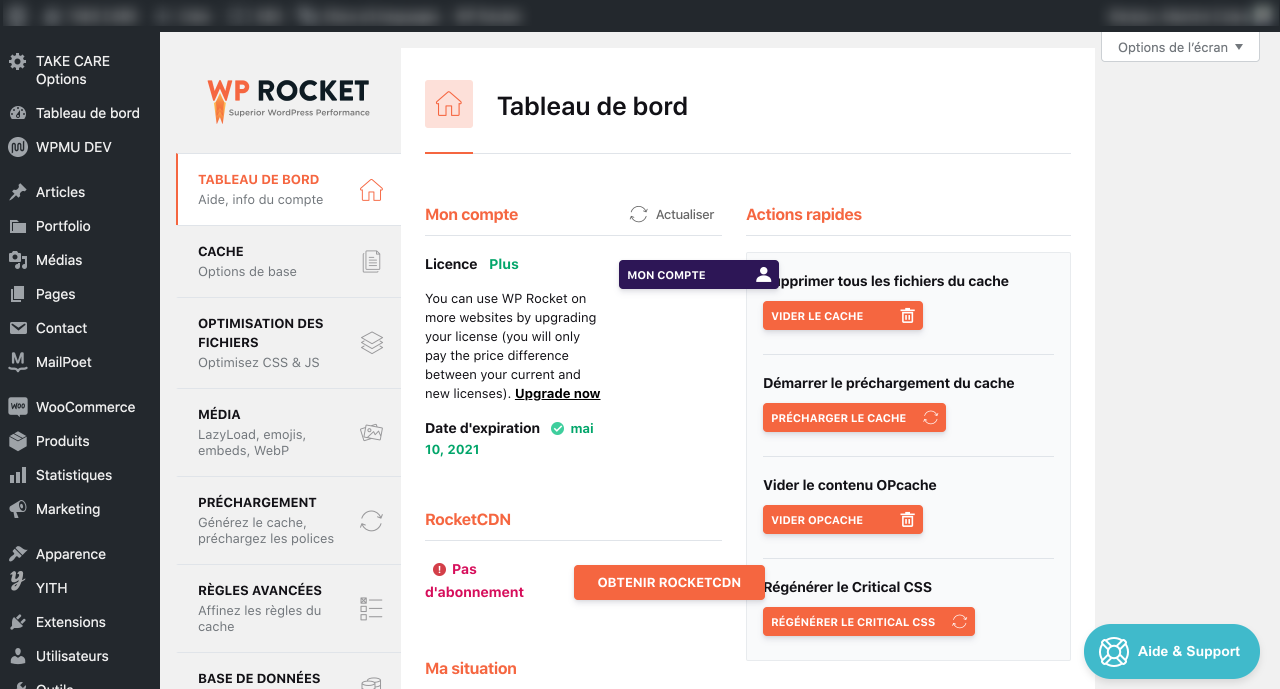
Website speed directly impacts SEO rankings, user experience, and conversions. Optimization plugins improve loading times and reduce server strain.
They help by:
- Minifying CSS, JavaScript, and HTML
- Enabling lazy loading
- Compressing images
- Optimizing databases
- Integrating with CDNs
Popular Optimization Plugins:
- WP Rocket
- W3 Total Cache
- Autoptimize
- Smush
- LiteSpeed Cache
- WP-Optimize
- Hummingbird
- Perfmatters
A faster website keeps visitors engaged and improves search visibility.
🗂 Caching Plugins
Caching plugins create static versions of pages to avoid repeated database processing, significantly improving load speed.
They enhance:
- Page load time
- Server performance
- Scalability during traffic spikes
Popular Caching Plugins:
- WP Rocket
- W3 Total Cache
- WP Super Cache
- LiteSpeed Cache
- Cache Enabler
- Swift Performance
- Comet Cache
- Breeze
Proper caching can dramatically improve website efficiency.
📅 Booking Plugins
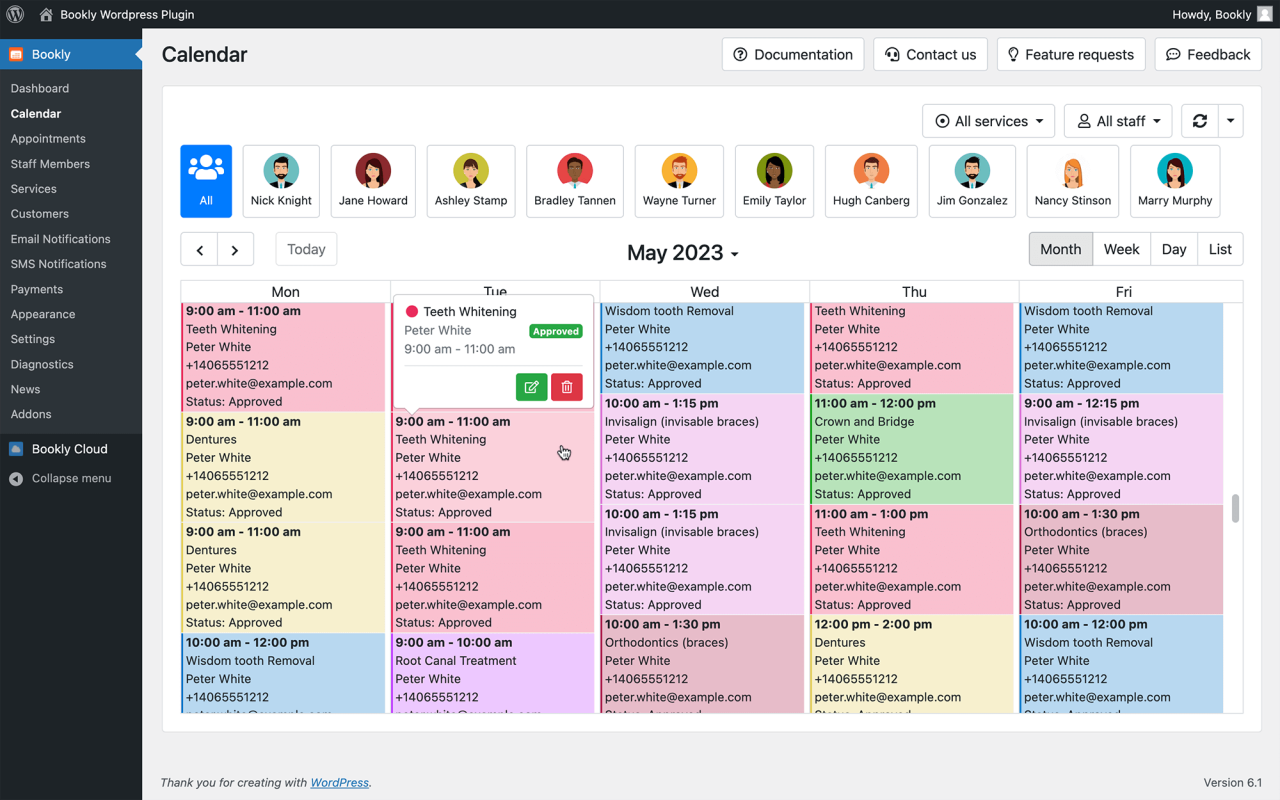
Booking plugins automate appointment scheduling and reservations for service-based businesses.
They allow customers to:
- View availability
- Select appointment slots
- Make online payments
- Receive automatic confirmations
- Sync with Google Calendar
Popular Booking Plugins:
- Amelia
- Bookly
- WP Simple Booking Calendar
- Booking Calendar
- WooCommerce Bookings
- Simply Schedule Appointments
- Team Booking
- BirchPress Scheduler
They reduce manual administration and increase customer convenience.
🛒 E-commerce / Online Store Plugins
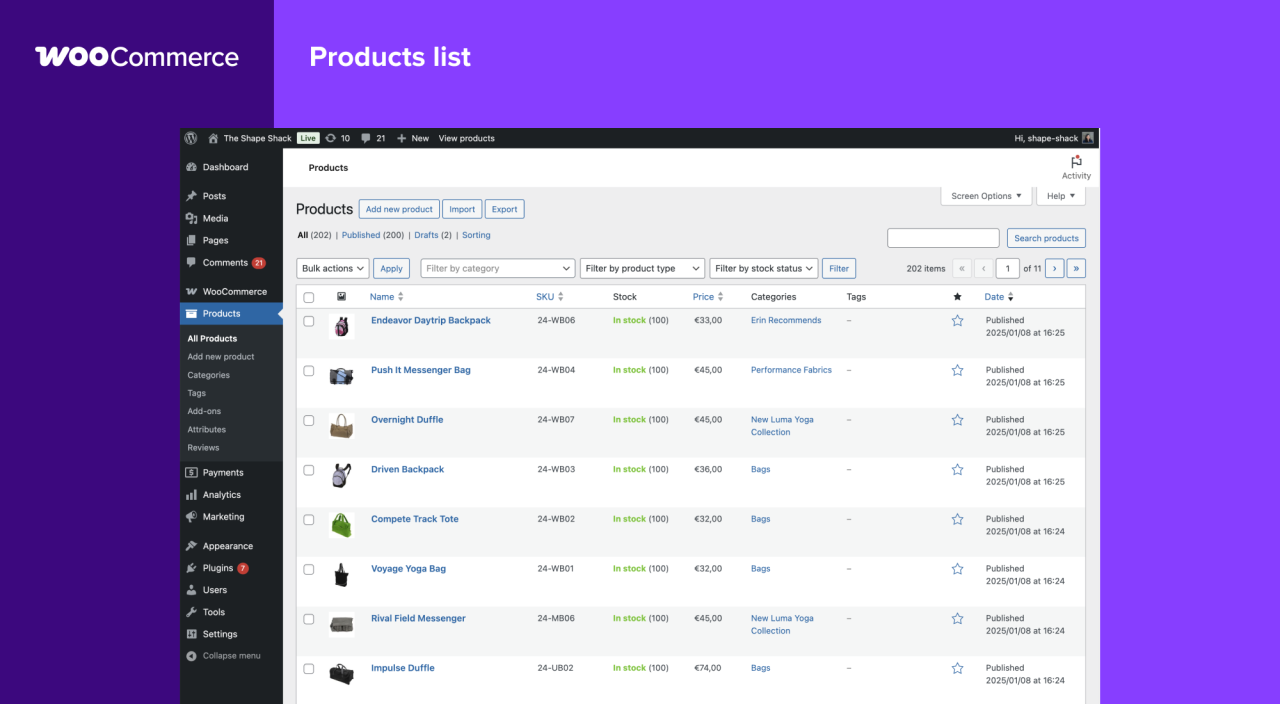
E-commerce plugins transform WordPress into a fully functional online store. They allow businesses to sell physical products, digital downloads, services, and subscriptions.
These plugins provide:
- Product management
- Shopping cart and checkout systems
- Payment gateway integration (Stripe, PayPal, etc.)
- Inventory management
- Shipping and tax configuration
- Coupon and discount systems
Popular E-commerce Plugins:
- WooCommerce
- Easy Digital Downloads
- WP EasyCart
- BigCommerce for WordPress
- Ecwid Ecommerce
For businesses looking to sell online, e-commerce plugins are essential.
🌍 Multilingual Plugins
Multilingual plugins allow websites to support multiple languages, making them accessible to a global audience.
They offer:
- Translation of pages and posts
- Language switchers
- SEO-friendly multilingual URLs
- Integration with translation services
Popular Multilingual Plugins:
- WPML
- Polylang
- TranslatePress
- Weglot
- MultilingualPress
For international businesses or tourism-related websites, multilingual functionality is critical.

🧱 Page Builder (Site Builder) Plugins
Page builder plugins allow users to design websites visually using drag-and-drop interfaces, without coding knowledge.
They enable:
- Custom page layouts
- Responsive design control
- Visual editing
- Pre-designed templates
- Advanced styling options
Popular Page Builder Plugins:
- Elementor
- WPBakery Page Builder
- Beaver Builder
- Divi Builder
- Brizy
Page builders empower business owners and marketers to manage design changes independently

🔎 SEO Plugins
SEO plugins improve search engine visibility by optimizing technical and content-related factors.
They assist with:
- Meta titles and descriptions
- XML sitemaps
- Schema markup
- Keyword optimization
- Content readability
- Social media previews
Popular SEO Plugins:
- Yoast SEO
- All in One SEO
- Rank Math
- SEOPress
- The SEO Framework
- Squirrly SEO
- Schema Pro
- WP Meta SEO
SEO plugins are essential for organic traffic growth.

💾 Backup Plugins
Backup plugins ensure your website can be restored in case of hacking, server issues, or accidental deletion.
They typically offer:
- Automated scheduled backups
- Full site backups (files + database)
- Cloud storage integration
- One-click restore
- Website migration features
Popular Backup Plugins:
- UpdraftPlus
- BackWPup
- BackupBuddy
- VaultPress
- Duplicator
- WPvivid
- BlogVault
- Total Upkeep
Backups are critical for business continuity and long-term security.
WordPress plugins are the engine behind WordPress flexibility. They allow businesses to create secure, fast, multilingual, SEO-optimized, e-commerce-ready websites without complex custom development.
The key is not to install many plugins — but to install the right ones.
When selected strategically and properly maintained, plugins transform a simple website into a powerful digital business platform capable of scaling and generating revenue.
Hostinger: What Is a WordPress Plugin: A Comprehensive Guide for Beginners - Blog
What Is a Joomla Plugin: A Comprehensive Guide for Beginners - Blog
When you subscribe to the blog, we will send you an e-mail when there are new updates on the site so you wouldn't miss them.